5 Best MIDI Controllers for Producers in 2026
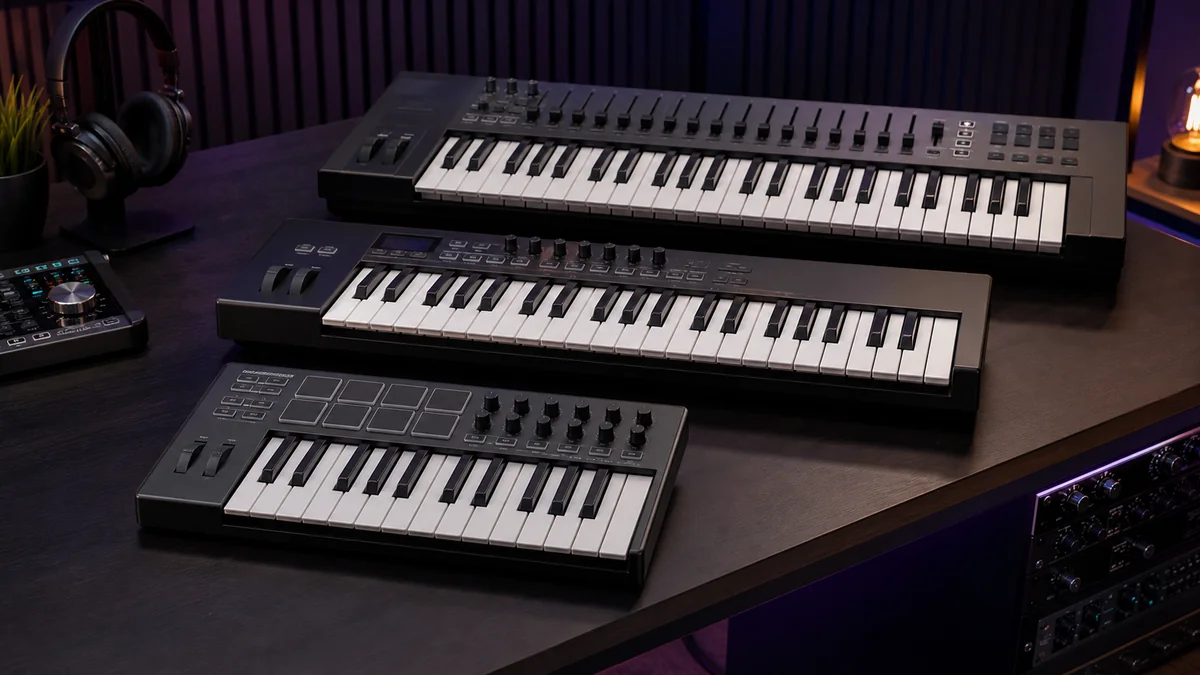
Quick answer: The best MIDI controller is the one that matches your space, playing style, DAW and external gear. For most producers in 2026, the strongest starting shortlist is Arturia MiniLab 3 for portable all-round control, Akai MPK Mini IV for beatmaking, Native Instruments Komplete Kontrol M32 for NKS browsing, Novation Launchkey 49 MK4 for deeper DAW control, and Arturia KeyLab Essential 61 mk3 for a wider keyboard.
This guide compares verified current models by workflow rather than declaring one universal winner. Prices and software bundles change, so check the manufacturer’s current offer before buying.
Best MIDI controllers at a glance
| Controller | Key format | Best for | Standout controls |
|---|---|---|---|
| Arturia MiniLab 3 | 25 slim keys | Portable all-round production | 8 pads, 8 encoders, 4 sliders, MIDI out |
| Akai MPK Mini IV | 25 mini keys | Beatmaking and compact setups | 8 pressure-sensitive pads, 8 encoders, pitch/mod wheels |
| Native Instruments Komplete Kontrol M32 | 32 micro keys | NKS and Komplete users | 8 touch-sensitive knobs, OLED browsing, Smart Play |
| Novation Launchkey 49 MK4 | 49 semi-weighted keys | DAW control and performance | 16 poly-aftertouch pads, 8 encoders, 9 faders |
| Arturia KeyLab Essential 61 mk3 | 61 keys | Two-handed parts and larger studios | DAW integration, pads, encoders and faders |
1. Arturia MiniLab 3: best portable all-rounder
The MiniLab 3 combines 25 velocity-sensitive slim keys with eight velocity- and pressure-sensitive pads, eight rotary encoders and four sliders. It also includes an arpeggiator, chord mode, a small display, USB-C, a pedal input and a five-pin MIDI output. That last connection is unusually useful on a compact controller if you want to play a hardware synthesizer without routing everything through a computer.
Choose it if: you want a travel-friendly controller that still covers keys, pads, plugin parameters and mixer moves.
Consider another option if: you regularly perform two-handed parts or strongly prefer full-size keys and physical pitch/modulation wheels.
Specifications: Arturia MiniLab 3 official page.
2. Akai MPK Mini IV: best compact controller for beatmakers
Akai’s MPK Mini IV updates the familiar compact format with 25 velocity-sensitive keys, eight assignable velocity- and pressure-sensitive RGB pads, eight endless encoders, dedicated transport controls, a color display, real pitch and modulation wheels, USB-C, sustain input and five-pin MIDI output.
The pads and small footprint make it a natural fit for programming drums and sketching ideas. Chord and Scale modes can help build parts quickly, while dedicated DAW mappings improve control in supported software.
Choose it if: pad feel, portability and immediate beat creation are your priorities.
Consider another option if: you need more than two octaves at once, mixer faders, or large keys for piano-style performance.
Specifications: Akai MPK Mini IV official page.
3. Native Instruments Komplete Kontrol M32: best for NKS browsing
The M32 uses 32 micro-size synth-action keys, eight touch-sensitive knobs, two touch strips, an OLED display and a four-directional push encoder. Its strongest advantage is integration with Native Instruments’ Komplete Kontrol software and the wider NKS ecosystem, including tag-based browsing and mapped plugin parameters.
Smart Play adds scales, chords and arpeggios. The extra seven keys compared with many mini controllers make melodic parts slightly less cramped without turning the keyboard into a full-size studio fixture.
Choose it if: you spend much of your time browsing and controlling Komplete or NKS-compatible instruments.
Consider another option if: drum pads or hardware MIDI output are essential—the M32 focuses on keys, knobs and software integration.
Specifications: Native Instruments M32 official specifications.
4. Novation Launchkey 49 MK4: best for deep DAW control
The Launchkey 49 MK4 steps up to 49 semi-weighted piano-style keys, 16 velocity-sensitive pads with polyphonic aftertouch, eight endless encoders, nine faders with buttons, pitch and modulation wheels, transport and workflow controls, an OLED display, USB-C, sustain input and five-pin MIDI output.
Its current DAW scripts support major platforms including Ableton Live, Logic, Cubase, FL Studio, Reason, Ardour and others, with HUI compatibility for additional software. Scale, chord, split/layer and generative arpeggiator functions make it useful beyond basic note entry.
Choose it if: you want to play with both hands, control a DAW mixer and launch clips or drums from one surface.
Consider another option if: your desk is small or you mainly enter short bass lines and drum patterns.
Specifications: Novation Launchkey 49 MK4 official page.
5. Arturia KeyLab Essential 61 mk3: best for a wider keyboard
A 61-key controller gives arrangement-focused producers more room for two-handed chords, splits and key switches. The KeyLab Essential 61 mk3 combines that range with pads, encoders, faders, transport control, a display, chord and scale tools, USB-C, pedal input and five-pin MIDI output.
It integrates closely with Arturia instruments while also providing DAW workflows for common production platforms. Its larger footprint is the tradeoff: measure your desk and allow room for your computer keyboard, mouse and monitoring position.
Choose it if: key range matters more than portability and you want hands-on mixer and instrument control.
Consider another option if: you travel frequently, use a narrow desk or need a weighted piano action.
Specifications: Arturia KeyLab Essential 61 mk3 official page.
How to choose the right MIDI controller
Choose the key count first
- 25 keys: compact and convenient for drum programming, bass lines, leads and travel.
- 32–37 keys: a useful middle ground for melodic parts without a large footprint.
- 49 keys: enough range for many two-handed parts, splits and studio performance.
- 61 keys: better for keyboard players, orchestral key switches and layered arrangements.
Octave buttons extend the note range, but they do not replace having more keys under your hands during a performance.
Understand key size and action
Mini or slim keys save space. Full-size synth-action or semi-weighted keys generally feel more natural to experienced players. “Semi-weighted” does not mean hammer-action piano feel, and manufacturer descriptions are not directly comparable. If touch matters, play the controller in person.
Decide whether pads matter
Velocity-sensitive pads are useful for finger drumming, clip launching and triggering samples. Pressure sensitivity or polyphonic aftertouch can add expression when the software supports it. Pad count and layout matter less if you program drums with a mouse or separate pad controller.
Match the controls to your workflow
Encoders work well for plugin parameters. Faders are easier for mixer levels and drawbars. Transport controls reduce mouse use. A display helps when browsing presets or mapping controls. Buy for the tasks you repeat every session, not the longest feature list.
Check DAW integration before purchase
Basic note input usually works through standard MIDI, but transport, mixer control, device browsing and feedback often depend on a manufacturer script. Confirm support for your exact DAW version and operating system on the current product page.
Plan external hardware connections
If you want to control a hardware synth without a computer, look for five-pin DIN MIDI output and verify whether the controller can operate in a standalone mode. USB alone does not guarantee direct communication between two USB devices. Modular users may prefer a controller with CV, Gate or Clock connections, such as the more specialized Akai MPK Mini Plus.
What a MIDI controller does—and does not do
A typical MIDI controller sends performance and control data; it does not generate audio by itself. You normally need a computer, tablet, hardware sound module or synthesizer to produce sound. A controller also does not replace an audio interface: MIDI carries instructions, while an interface records and plays audio.
For the rest of the production chain, see our essential music-production tools guide and beginner DAW guide.
Setup checklist
- Install any required manufacturer software, firmware and DAW script.
- Connect directly by USB while troubleshooting rather than through an unpowered hub.
- Select the controller as a MIDI input in the DAW.
- Load the manufacturer’s correct DAW mode or preset if required.
- Test keys, pads, transport and knobs in a new empty project.
- Save a custom template only after the default integration works.
Frequently asked questions
Do I need 49 or 61 keys?
Not necessarily. Beatmakers and traveling producers may be faster with 25 or 37 keys. Choose 49 or 61 when two-handed playing, key switches or fewer octave changes matter.
Can any MIDI keyboard work with any DAW?
Basic notes and common MIDI messages usually work broadly. Deep integration, displays, transport and automatic parameter mapping depend on supported scripts and software versions.
Does a MIDI controller include sounds?
Most controllers do not contain a sound engine, although many include downloadable software instruments. The controller sends instructions to another device that creates the audio.
Should beginners buy weighted keys?
Weighted hammer action is useful for piano technique but costs more, weighs more and may feel slower for drums or synth parts. Beginners should choose it only when piano-style playing is a real priority.
Editorial disclosure: CreoStack did not receive payment from the manufacturers mentioned in this guide. No retailer referral links are included. Specifications, compatibility and included software can change; verify them on the manufacturer’s official page before buying.