How to Record Vocals at Home: A Practical 2026 Guide
Quick answer: You can record clean, mix-ready vocals at home with a suitable microphone, a quiet room, sensible placement, conservative input gain, and a consistent performance. Expensive gear cannot rescue a noisy room or clipped recording, so solve the acoustic and technical basics first.
This guide walks through the complete process—from choosing a microphone to comping and exporting—without assuming you own a professional vocal booth.
What you actually need
- A microphone: an XLR condenser or dynamic microphone, or a good USB microphone.
- An audio interface: required for most XLR microphones. A condenser microphone normally also needs 48 V phantom power.
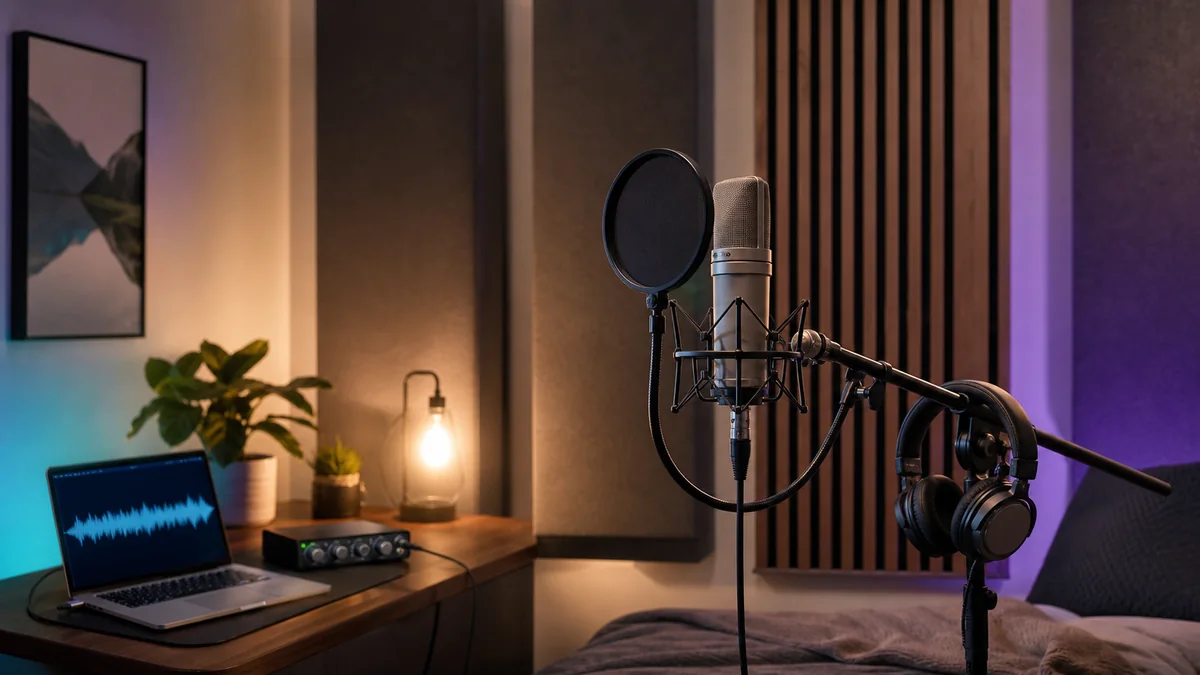
- A stable stand and pop filter: these make positioning repeatable and reduce plosive blasts.
- Closed-back headphones: they reduce backing-track spill into the microphone.
- Recording software: any reliable DAW that lets you record, edit and export audio.
- A quiet space: the room is part of the signal chain.
If you are building from scratch, start with our budget home-studio setup guide and beginner DAW comparison.
Dynamic, condenser or USB microphone?
Condenser microphone
A cardioid condenser can capture detail and articulation, but it may also reveal computer fans, traffic and hard-room reflections. It is a strong choice when your room is quiet and reasonably controlled. Check the microphone manual before enabling phantom power.
Dynamic microphone
A cardioid dynamic microphone is often practical in an imperfect room because singers typically work closer to it. It may need more clean preamp gain than a sensitive condenser. Dynamic does not automatically mean “warm,” and condenser does not automatically mean “better”; the right choice is the one that suits the voice, room and performance.
USB microphone
A USB microphone combines the microphone and interface in one device. It is the simplest starting point, although a separate XLR microphone and interface usually gives you more upgrade flexibility.
Prepare the room before buying more gear
Choose the quietest room and record when outside noise is lowest. Turn off fans, buzzing lights and unnecessary devices. Put the microphone away from bare walls and corners, and point the rear of a cardioid microphone toward the most troublesome noise source when its pickup pattern allows.
Acoustic treatment and sound isolation are different. Broadband absorbers can reduce reflections inside the room; they do not stop traffic or neighbors entering through the building. Thick soft furnishings can help tame flutter echo, but thin decorative foam is not soundproofing.
Record a short handclap and spoken test. If you hear a metallic ring or obvious room tail, move the setup and add absorption at nearby reflection points. A clothes-filled wardrobe behind the singer can sometimes help, but avoid enclosing the microphone in a tiny hard or foam-lined box that creates a boxy tone.
Place the microphone correctly
Start with the capsule roughly 15–30 cm (6–12 inches) from the singer, then adjust by listening. Shure recommends this range as a common starting point for home vocal recording and emphasizes keeping the distance consistent. Closer placement captures more direct voice and, with many directional microphones, more proximity-effect bass; greater distance captures more room.
- Place a pop filter between the singer and microphone.
- Aim the front of the microphone toward the mouth—many side-address condensers are not meant to be sung into from the top.
- Move the microphone slightly above or below mouth level, or a little off-axis, if plosives and harsh consonants remain.
- Mark the singer’s position and keep it consistent between takes.
Microphone technique is voice-dependent, so record three short tests at different distances. Choose the position that balances clarity, room sound, plosives and low-frequency weight. See Shure’s home-recording guide for additional placement guidance.
Set clean recording levels
Connect the microphone, select the correct input in your DAW and enable 48 V only when the microphone requires it. Ask the singer to perform the loudest section at full intensity while you set the preamp gain.
Leave headroom. Peaks around -12 to -6 dBFS are a practical target for many home sessions; the exact number matters less than staying safely below 0 dBFS. Digital clipping cannot be repaired reliably after recording. Apple’s GarageBand guidance similarly tells users to lower the input when its level display turns red to prevent distortion.
- Record at 24-bit if your setup supports it.
- Use direct monitoring or a small audio buffer to reduce distracting latency.
- Do not record through heavy reverb, limiting or aggressive compression unless you fully understand that workflow.
- Give the singer a comfortable headphone mix; performance matters more than a visually perfect meter.
Run a 60-second test before the real take
Record silence, normal singing and the loudest phrase. Listen on headphones for hiss, hum, clicks, room reflections, headphone bleed and clipping. Check that the waveform is healthy but not flattened at the top or bottom. Fix the source now rather than relying on restoration software later.
Record a performance you can edit
- Warm up and hydrate: give the singer time to settle into the room and headphone mix.
- Capture complete takes: two or three full performances preserve phrasing and emotion.
- Record focused fixes: punch in only the lines that genuinely need another pass.
- Add doubles intentionally: doubles and harmonies should support the arrangement, not hide a weak lead.
- Keep notes: label promising takes while the session is fresh.
Keep the vocalist’s distance and angle stable. Movement changes level, tone and room pickup, which makes edits between takes more obvious.
Edit without removing the performance
Create a comp by selecting the best phrases from your takes. Add short crossfades at edit points and listen in context. Remove distracting noises manually where practical, but leave natural breaths unless they pull attention away from the lyric.
Use pitch and timing correction lightly. Correct what distracts from the song while preserving intentional slides, vibrato and consonant timing. Save a clean, consolidated vocal before heavy processing so you can return to it later.
A simple vocal mixing order
There is no mandatory plugin chain, but this order is a reliable starting point:
- Clip gain: even out unusually loud or quiet phrases before compression.
- Corrective EQ: remove only clear problems; avoid automatically cutting frequencies because a preset says so.
- Compression: control dynamics in a way that follows the singer’s phrasing.
- De-essing: reduce distracting sibilance without making the vocal dull or lispy.
- Tone and character: add broad EQ, saturation or a second compressor only when the mix needs it.
- Delay and reverb sends: create depth while keeping the dry vocal intelligible.
Make processing decisions against the full instrumental, not only in solo. For the next stage, use our home mixing and mastering guide.
Common home-vocal problems
The vocal sounds boxy
Move away from corners and hard boundaries, remove reflective surfaces close to the microphone, and test a different distance. Do not immediately apply a large EQ cut before confirming the room and placement.
Plosives are hitting the microphone
Use a pop filter, increase the distance slightly and move the microphone a little above, below or off-axis from the direct air blast.
The recording is noisy
Identify the source: room noise, electrical hum, microphone self-noise or excessive preamp gain. Get closer to a directional microphone when appropriate, silence the room and check cables before reaching for a noise-reduction plugin.
Headphone delay makes singing difficult
Use the interface’s direct-monitoring feature if available, reduce the DAW buffer during recording, and bypass high-latency plugins until mixing.
The vocal clips on loud notes
Lower the interface gain and record again. A compressor inserted after the signal has already clipped at the input will not undo the distortion.
Final recording checklist
- The room is quiet and obvious reflections are controlled.
- The microphone is facing the correct direction.
- The stand, cable and pop filter are secure.
- The singer has a comfortable, low-latency headphone mix.
- The loudest phrase leaves safe headroom.
- A test recording has been checked on headphones.
- Session files are named clearly and backed up.
Frequently asked questions
Can I record vocals without an audio interface?
Yes. A USB microphone or a phone can record vocals directly. An interface is needed for most XLR microphones and provides easier gain control, monitoring and future upgrades.
Should I record vocals in a closet?
Only if it sounds better in a test. Clothing can absorb some reflections, but a cramped closet may sound dull or boxy. Compare recordings rather than assuming the smallest space wins.
Should vocals be recorded in mono or stereo?
A single lead vocal microphone should normally be recorded to a mono track. Stereo is useful when you intentionally use two microphones or capture a stereo source.
How loud should I record?
Record loudly enough to stay well above the noise floor but leave generous headroom for unexpected peaks. With 24-bit recording there is no benefit to pushing the signal close to 0 dBFS.
Editorial disclosure: CreoStack did not receive payment from the manufacturers or services mentioned in this guide. Product examples are included for education; always confirm compatibility and current specifications on the manufacturer’s official website.